By Nina Castillo September 13, 2026
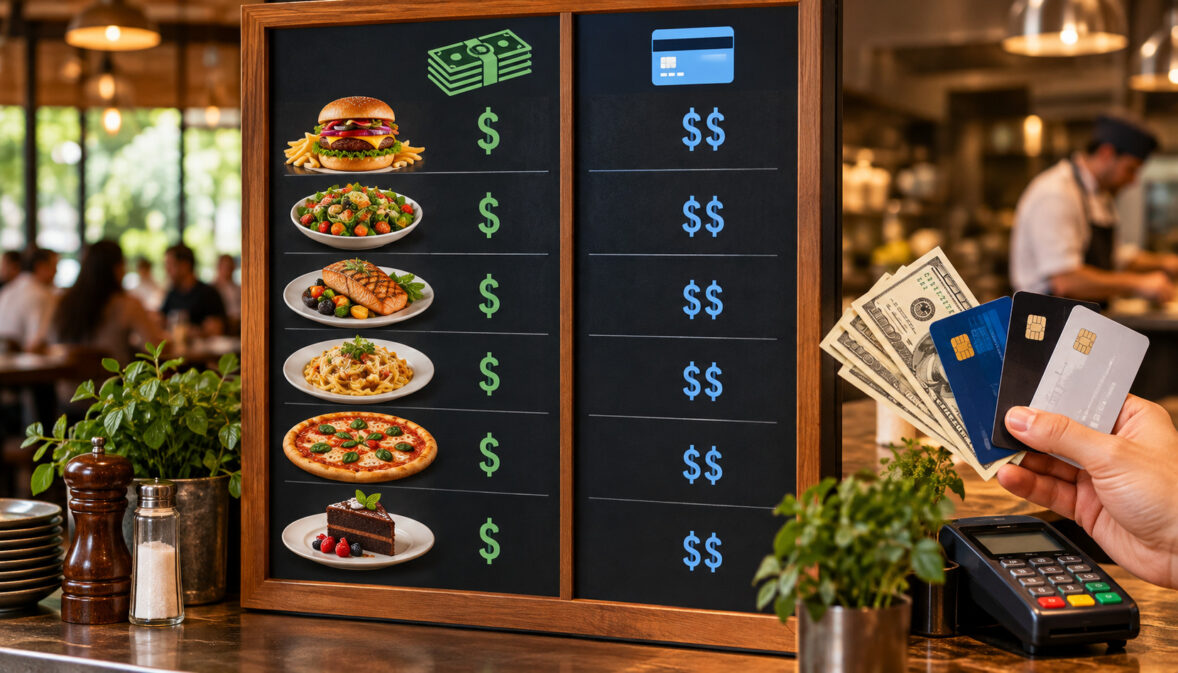
A dual pricing menu display succeeds when customers can understand which price applies before they commit to the purchase—and when the price they saw is the price the POS actually charges.
That sounds simple. Operationally, it is one of the harder parts of implementing cash-and-card pricing in a restaurant.
A restaurant may correctly choose a pricing model and still create problems because its overhead board shows one number, its POS stores another, an avocado modifier follows different logic, the drive-thru was never updated, and the receipt introduces an amount the customer did not see until checkout.
The practical objective is therefore bigger than putting a sign near the register.
A well-run two-price system connects the entire chain:
pricing model chosen → item-level prices calculated → rounding method established → menu layout selected → POS configured → printed and digital surfaces published → modifiers and promotions tested → receipt reconciled → launch audit completed.
Restaurants can use side-by-side cash and card prices, compact cash/card notation, or—in some pricing structures and jurisdictions—a more centralized disclosure model. But no single layout is universally sufficient.
Applicable state law, the restaurant’s actual pricing structure, its payment processor or acquirer, and card-network requirements all matter.
Visa and Mastercard, for example, have specific rules for credit-card surcharges, including restrictions involving debit and prepaid cards, but those surcharge rules should not automatically be treated as a universal blueprint for every dual-pricing arrangement.
For restaurant operators, the safest operational standard is straightforward: customers should know the applicable price before payment, and every customer-facing price should reconcile with the POS and receipt to the penny.
What a Dual Pricing Menu Display Needs to Show
A dual pricing menu display has one primary job: remove uncertainty about what a guest will pay.
Before a customer reaches the payment step, the menu presentation should make it reasonably clear:
- which amount applies when paying cash;
- which amount applies when paying by the applicable card type;
- whether the pricing structure applies to every menu item;
- whether modifiers and add-ons follow the same structure;
- and whether any menu categories, promotions, or payment types are treated differently.
That last point matters because “dual pricing,” “cash discount,” and “credit-card surcharge” should not be used as interchangeable descriptions.
Visa describes a surcharge as an amount added over an advertised or normal price in connection with a qualifying credit-card transaction. Visa separately recognizes cash discounts, stating that a cash discount must be a reduction from the standard price. Mastercard likewise maintains separate surcharge rules for Mastercard credit transactions.
The restaurant’s wording and display architecture therefore need to reflect what its POS and payment program actually do.
If the system stores a $10.00 cash price and an independently calculated $10.30 card price, presenting the structure as though every customer starts with a $10.00 standard price and receives an unexplained checkout adjustment can create a misleading customer experience.
Conversely, if the operation is actually imposing a network-regulated surcharge, simply replacing the surcharge with a higher item-level label does not necessarily eliminate the network rules that apply to the underlying transaction structure.
That distinction matters because card-network rules regulate a credit-card surcharge differently from a restaurant simply maintaining separately established prices.
Under Visa merchant surcharge guidance, merchants that impose qualifying credit-card surcharges must follow Visa’s surcharge requirements, including applicable acquirer notification and disclosure rules.
Visa also distinguishes surcharge treatment from the underlying advertised or normal price. A restaurant should therefore identify its actual payment model before deciding how its menu labels cash and card prices.
The operational benchmark is no surprise at checkout.
A guest who reads the menu, adds a modifier, chooses a combo, and pays by card should be able to connect the amount on the receipt to the pricing shown before payment.
What Belongs on the Menu, Door, and Register
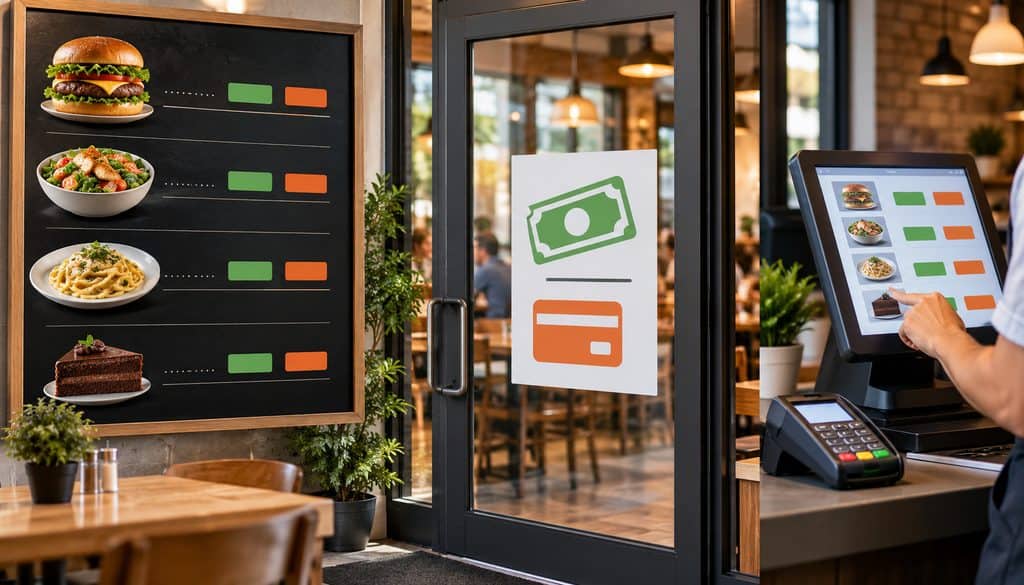
A restaurant should think about pricing disclosure as a series of surfaces rather than one sign.
Each surface serves a different purpose.
| Surface | What the Customer Should See | Common Mistake |
| Menu/menu board | Actual item pricing or the applicable pricing structure clearly enough to understand the item cost | Showing one price while a different amount appears only at checkout |
| Entrance/door | Advance notice where required by the applicable pricing model, network, acquirer, or state law | Tiny sign positioned where customers rarely notice it |
| Counter/register | Clear confirmation before tender is finalized | Making the register sign the customer’s first meaningful disclosure |
| Checkout screen | Exact amount the customer is about to authorize | Displaying an adjustment only after the payment method is selected with no earlier context |
| Receipt | Actual item, modifier, subtotal, tax, tender-related amount when applicable, and final total | Receipt total does not reconcile with posted prices |
These roles vary according to the model being used.
If the restaurant’s arrangement is actually a Mastercard credit-card surcharge, the menu and checkout workflow must also account for Mastercard’s specific requirements. Mastercard merchant surcharge rules require clear disclosure of the merchant’s surcharge practice at the point of interaction and require the dollar amount of the surcharge to appear on the transaction receipt. Mastercard also states that these surcharge provisions do not permit surcharges on Debit Mastercard or Mastercard prepaid cards.
For a credit-card surcharge, Visa’s U.S. materials require surcharge-related disclosures and say qualifying surcharges apply only to credit transactions—not debit or prepaid. Visa’s current public materials also direct merchants to coordinate with their acquirer.
Mastercard says surcharges are not permitted on Debit Mastercard or Mastercard prepaid cards and requires customer disclosure for eligible Mastercard credit surcharges.
Processor implementation also matters. Stripe’s current surcharge guidance, for example, emphasizes identifying eligible credit transactions, excluding debit, making disclosures before transaction completion, and correctly configuring checkout rather than indiscriminately adding a fee to every card.
Those are surcharge requirements. They should not automatically be copied onto a genuine dual-price or cash-discount model without confirming how the restaurant’s processor has structured the program.
Why One Small Register Sign May Not Be Enough
A customer normally makes the economic decision before reaching the payment terminal.
They look at the menu, decide whether a burger fits their budget, add fries, choose a drink, and place the order. If the first meaningful explanation of a higher card amount appears after all those decisions, the customer may reasonably feel that the advertised price was incomplete.
Some jurisdictions go further than general transparency principles.
New York’s Department of State currently instructs businesses subject to its surcharge law to display the highest total price, excluding sales tax, before sale.
Its official guidance expressly shows displaying both the credit-card price and cash price as an acceptable presentation and rejects a wall/register notice that merely announces an additional credit-card percentage without displaying the required total price.
Connecticut takes a different approach. Its law prohibits payment-method surcharges but permits cash discounts when properly disclosed; the statute specifies clear and conspicuous notice requirements for in-person and certain online transactions.
Massachusetts also has a statutory prohibition on seller-imposed credit-card surcharges, subject to the state’s legal framework and interpretations.
Those examples demonstrate why restaurants should not assume a generic “cards cost more” sign solves every disclosure question.
Operational simplicity is not the same thing as legal sufficiency.
Three Ways to Lay Out Cash and Card Prices
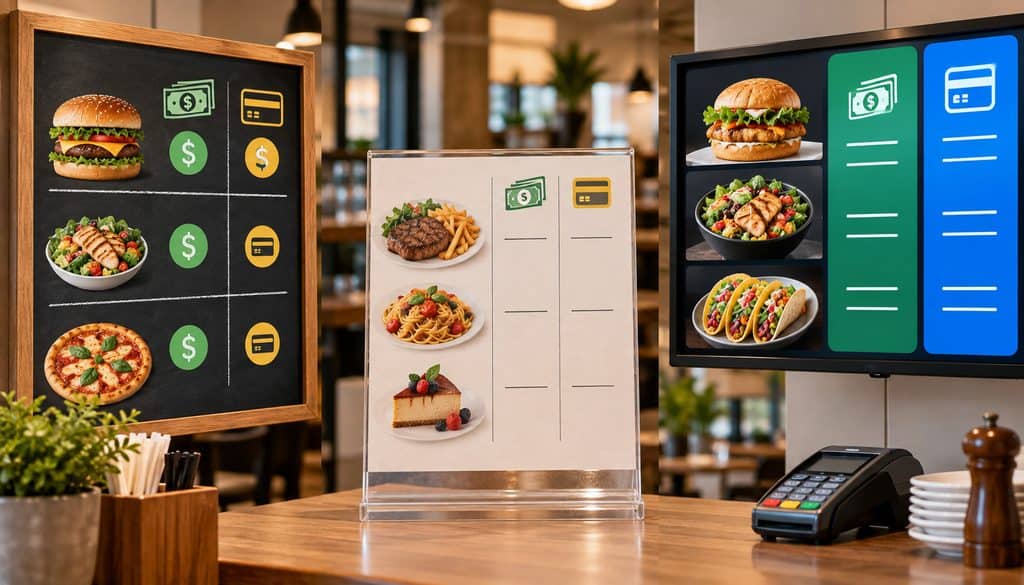
There is no single ideal cash price card price menu board for every restaurant.
A three-screen QSR board, a laminated diner menu, a cocktail list, a drive-thru, and a mobile QR menu have very different space constraints.
The most useful starting point is to choose a display architecture that the restaurant can maintain accurately.
| Layout | Customer Clarity | Space Need | Update Burden | Best Use |
| Two price columns | Very high | High | Moderate | QSR boards, structured menus, price-sensitive items |
| Cash/card notation per item | High | Moderate | Moderate to high | Printed menus, counter menus, short item lists |
| One price set plus global disclosure | Variable | Low | Low visually, higher compliance/testing risk | Only where the legal, network, acquirer, and pricing structure permit it |
| Card price primary with cash discount | High when clearly implemented | Low to moderate | Moderate | Cash-discount structures where permitted and correctly configured |
Restaurants comparing physical and electronic formats can also review the practical differences between static and digital menu boards before choosing a layout.
Two Price Columns
Two columns are usually the easiest presentation for a customer to interpret.
For example:
| Item | Cash | Card |
| Burger | $X.XX | $Y.YY |
| Chicken Sandwich | $X.XX | $Y.YY |
| Fries | $X.XX | $Y.YY |
The customer does not need to calculate anything.
The same structure also makes auditing easier because there is a visible card price against which the POS transaction can be tested.
The disadvantages are physical.
Two price columns consume horizontal space. On an overhead digital board, that may force smaller typography. On a printed menu with dozens of items, repeated cash and card headings can create visual density.
The design also needs unambiguous headers. Merely placing two numbers side by side without consistently labeling which is cash and which is card defeats the point.
For high-volume restaurants, however, the auditability of the two-column format can outweigh the additional space requirement.
Cash Price With Card Notation
A more compact option places both prices next to the item:
Burger — Cash $X.XX / Card $Y.YY
This format can work especially well on table menus, counter cards, QR menus, and shorter boards.
It preserves exact item-level disclosure without committing the entire menu to two formal columns.
The drawback appears as menu size grows.
Twenty products with two prices each can make the board visually noisy. Modifiers create another challenge: if the entrée gets two prices but “Add avocado +$X.XX” displays only one amount, the guest may still encounter an unexpected modifier price.
A notation layout therefore works best when the menu data model can populate both values automatically rather than requiring a designer to type each pair manually.
Banner Disclosure
The cleanest-looking layout is often a single set of prices paired with a banner such as:
“Listed prices are cash prices. Applicable card prices are higher and are disclosed before purchase.”
Or, where the exact pricing structure and applicable rules have been confirmed:
“Listed prices are cash prices. Card prices are X% higher.”
The “X%” wording above is a template placeholder, not a recommended or universally permitted percentage.
This approach has an obvious advantage: menu designers maintain one visual price field.
Its weakness is equally obvious: the customer may have to perform arithmetic, and the arithmetic may not produce the exact value the POS ultimately charges.
If $9.75 is multiplied by a configured pricing factor and produces more than two decimal places, the customer cannot know the final card amount unless the rounding method is also predictable.
More importantly, a banner-only model may not satisfy every state law, processor configuration, or underlying payment structure. New York provides a particularly useful warning: its current guidance requires the highest total credit-card price to be displayed in the situations governed by its surcharge law rather than relying merely on a percentage notice.
A banner can therefore be a useful explanatory element without necessarily being an adequate replacement for item-level price presentation.
Card Price Primary, Cash Discount Secondary
Another architecture starts with the higher standard/card price and identifies a lower cash amount or cash discount.
This can be operationally and legally different from advertising a low price and then adding something at checkout.
For example, a restaurant might display:
Burger — $Y.YY
Cash price: $X.XX
or show both prices with the card/standard amount more visually prominent.
Whether that structure is appropriate depends on the state’s pricing law, the payment program, and processor guidance.
Visa specifically distinguishes a cash discount from a surcharge and says a cash discount should be a reduction from the standard price.
Connecticut similarly permits cash discounts despite prohibiting payment-method surcharges, provided the required cash-discount notice is given.
That distinction is why restaurants should settle the pricing model before the graphic designer builds the board.
Which Layout Works Best for Different Restaurant Formats?
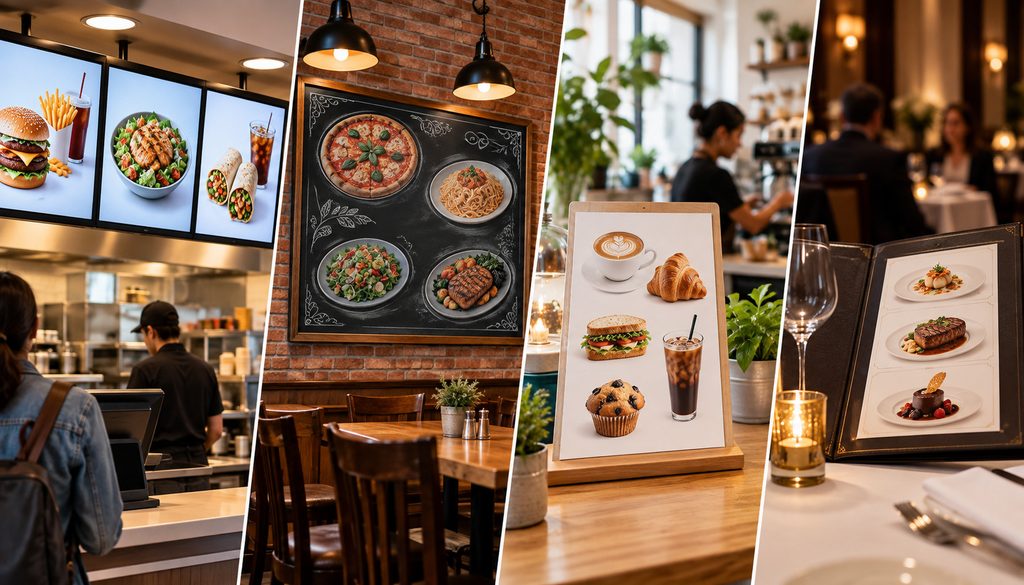
A QSR with overhead digital displays may value fast visual comparison. Two short price columns can work well if typography remains readable from the ordering line.
A full-service restaurant has more page space but also more modifiers, market-priced items, wine sizes, and specials. Cash/card notation can work well for individual prices as long as server-entered modifiers use the same underlying price table.
A QR menu has far more flexibility. Mobile layouts can present two labeled price values in separate fields, while a disclosure element can remain visible near the category or checkout flow.
Restaurants interested in centralizing those channels can review guidance on digital menu management and multi-channel publishing.
Drive-thru boards require another standard: readability at distance. Tiny superscript disclosures, miniature footnotes, or densely packed dual-price strings may technically exist on the board but fail the practical visibility test.
At a drive-thru, short labels such as Cash and Card generally communicate more effectively than paragraphs of policy language. Any required legal disclosure can be positioned separately, but the prices themselves still need to be understandable.
Item-Level Prices vs. Banner Disclosure
This is the central design decision in a dual-price restaurant menu.
An item-level system tells the customer:
Burger: Cash $X.XX / Card $Y.YY
A global system tells the customer:
Burger: $X.XX
All listed prices follow the tender-pricing rule described below.
The second option is visually cleaner, but it transfers more interpretive work to the customer.
It also transfers more implementation risk to the restaurant.
Suppose the banner communicates a percentage relationship, but the POS stores rounded card prices. A customer trying to reproduce the amount with a calculator may land one cent away from the receipt.
Or suppose a promotion applies only to the base item while a modifier is recalculated under a different rule. The global banner may no longer accurately describe the actual transaction.
Item-level pricing removes much of this ambiguity because the menu exposes the final values.
That does not mean every restaurant in every jurisdiction is legally required to show two numbers beside every item. The point is narrower: item-level pricing is generally easier to audit, easier for customers to understand, and less dependent on mental arithmetic.
Where the restaurant prefers a banner model, it should have its processor/acquirer and appropriate legal or compliance advisers confirm the exact presentation.
Dual Pricing Rounding Rules That Keep the Receipt Accurate
Dual pricing rounding rules should begin with an operational requirement rather than a theoretical percentage:
The price displayed to the customer should equal the price produced by the POS.
There is no reason for the menu spreadsheet, signage software, and POS to independently calculate the same price.
Instead, calculate once and store the result.
A repeatable workflow is:
cash/base price → apply the restaurant’s approved pricing relationship → calculate raw amount → apply the restaurant’s defined rounding convention → store final cash/card values → publish those same values → test receipt
Unless an applicable law, payment agreement, or processor specifically prescribes a calculation method, this article does not suggest that one rounding convention is legally mandated.
The critical point is consistency.
Why Percentage-Only Math Creates Penny Drift
Consider a purely mathematical illustration—not a recommendation of any pricing percentage.
Assume the restaurant’s approved configuration produces this raw calculation:
$12.49 → $12.80225
A menu spreadsheet might format that value visually as $12.80.
A different system might retain additional decimal places until the basket total is calculated.
A third system could recalculate from a percentage at checkout.
Those systems may eventually disagree by a cent or more once quantities, modifiers, and multiple items enter the transaction.
The best solution is not to debate the final penny at checkout.
It is to establish the final sellable price before publishing.
| Item | Cash Price | Raw Card Calculation* | Final Card Price | POS Match? |
| Burger | $12.49 | $12.80225 | $12.80 | Yes |
| Fries | $4.25 | $4.35625 | $4.36 | Yes |
| Shake | $5.79 | $5.93475 | $5.93 | Yes |
*Illustrative arithmetic only. The example does not prescribe or represent an allowable pricing percentage.
Pre-Calculate Both Price Sets
Treat cash price and card price as actual menu data fields.
Do not ask the digital-signage team to derive card prices from cash prices while the POS team separately configures the tender logic.
The master record should look conceptually like:
- Item ID: BURG-001
- Item name: Classic Burger
- Cash price: stored value
- Card price: stored value
- Effective date
- Location
- Version
Once approved, downstream systems consume those values.
That one decision eliminates a large class of rounding discrepancies.
Round at the Item Level for Operational Predictability
Restaurants should strongly consider finalizing sellable prices at the individual item and modifier level rather than relying only on basket-level transformation.
This is an operational recommendation, not a claim that network rules universally require item-level rounding.
Why does it help?
Because restaurant baskets are complex.
A customer might purchase:
- two entrées;
- one extra-cheese modifier;
- one size upgrade;
- a discounted drink;
- and a happy-hour item.
If the menu shows final item-level values but the POS independently calculates a tender difference on the combined basket, the displayed arithmetic and receipt arithmetic may diverge.
Storing the actual final selling price for each configured component makes testing much easier.
Tax Interaction: Do Not Build Tax Assumptions Into the Menu Formula
Sales-tax treatment depends on the jurisdiction and the legal characterization of the amount being charged.
Restaurants should not assume that a cash discount, separately stated credit surcharge, service fee, or independently posted card price receives identical sales-tax treatment.
The calculation sequence can affect:
- taxable sales;
- discount treatment;
- separately stated fees;
- reporting;
- POS tax configuration;
- and the displayed total.
Before launch, ask the restaurant’s tax professional or relevant state tax authority what amount constitutes the taxable sales price under the specific pricing structure.
Then configure the POS accordingly.
The goal is to prevent the menu team from solving a tax question through spreadsheet math.
How to Build a Digital Menu Board With Two Prices
A digital menu board two price setup should not be treated as two text boxes that happen to sit next to each other.
It should be a structured data problem.
A strong digital menu system starts with a master menu database in which each product has dedicated price fields.
At minimum, consider:
| Field | Purpose | Typical Update Owner |
| Item ID | Stable system identifier | Menu/POS admin |
| Item name | Customer-facing name | Menu/marketing |
| Cash price | Approved cash selling price | Finance/menu admin |
| Card price | Approved card selling price | Finance/menu admin |
| Modifier group | Links add-ons/upcharges | Menu/POS admin |
| Promotional price | Temporary selling price | Marketing/operations |
| Location | Controls regional prices | Operations |
| Effective date/time | Controls publishing | Menu admin |
| Disclosure footer | Approved explanatory text | Compliance/operations |
| Version | Identifies current approved release | Menu admin |
A centralized system allows one approved update to flow toward the POS, digital display, web menu, and QR menu instead of requiring four employees to retype the same number.
That is also why a structured approach to central menu catalogs, modifiers, versions, and omnichannel publishing is useful when restaurants have multiple customer-facing channels.
Build One Source of Truth
The menu master should be authoritative.
That does not mean every channel must use identical visual formatting.
The drive-thru might show abbreviated item names. The website might display full descriptions. A digital board may use separate cash and card columns.
But the underlying prices should come from the same approved record.
A restaurant with five independent price files does not really have five sources of truth. It has five opportunities for mismatch.
Bulk Updating Both Price Fields
For a large menu, the update process should be systematic:
- Export or open the master item table.
- Update the approved base/cash prices.
- Generate or enter the approved card-price values according to the restaurant’s configured model.
- Apply the established rounding rule.
- Review exceptions.
- Validate modifier and combo tables.
- Import or publish both price fields.
- Compare the published values with the POS.
- Test sample transactions.
- Approve the version for release.
Do not manually edit 150 digital-menu text elements if structured publishing is available.
The more times a price is retyped, the more likely one channel will go stale.
For additional operational context, see this discussion of restaurant menu publishing and synchronized updates.
A Generic Menu Template for Dual Pricing
A useful menu template dual pricing data record might contain:
Item name: Grilled Chicken Sandwich
Description: Customer-facing description
Cash price: [stored value]
Card price: [stored value]
Modifier group: Sandwich Add-Ons
Promotion: Lunch Special
Effective date: October 28, 2026
Location: Store 014
Disclosure footer: [approved text]
Version: 2026-09-A
The exact fields depend on the POS/menu platform. Do not assume every digital-signage product supports dedicated dual-price fields.
If the platform lacks structured fields, create them in the master database and push finalized display strings downstream rather than permitting each location to calculate prices itself.
Version Control Matters
A menu price change should create an identifiable version.
Retain:
- internal effective date;
- previous approved version;
- editor;
- reviewer;
- approval date;
- publication time;
- affected locations;
- and rollback file.
That provides a straightforward answer when a manager asks, “Which menu was live when this transaction occurred?”
It is particularly important for multi-location restaurants where different stores may have different base prices.
Schedule Menu and POS Price Changes Together
If prices are scheduled to change at 6:00 a.m. Monday, both the customer-facing menu and POS should change at the same operational moment.
Do not publish the digital board Sunday night and wait until Monday afternoon to update the POS.
Likewise, do not configure tomorrow’s POS prices while today’s printed menus remain on tables.
For planned launches, use a release checklist and synchronized effective time.
QR, Website, Online Ordering, and Delivery Menus
The physical menu is not the only advertised-price surface.
Audit:
- restaurant website;
- mobile web menu;
- QR menu;
- online ordering flow;
- kiosk;
- restaurant app;
- and third-party marketplace listings where applicable.
A QR menu seen at the table is part of the same customer journey as a printed menu.
If it displays yesterday’s $10.50 price while the POS has moved to $10.95, explaining that “the screen wasn’t updated” does not make the guest experience less problematic.
Third-party delivery platforms need separate attention. Do not assume the restaurant can implement its in-store tender-based pricing structure inside a delivery marketplace. Platform rules, merchant agreements, and payment flows may differ.
Handling Modifiers, Combos, and Happy-Hour Pricing
Base menu prices are often the easy part.
Modifiers are where two-price systems break.
Consider:
- extra cheese;
- avocado;
- bacon;
- premium protein;
- large-size upgrade;
- gluten-free crust;
- flavored syrup;
- side substitution.
If a modifier changes the transaction price, it belongs in the pricing audit.
| Element | Cash | Card | Special Logic |
| Extra cheese | Stored value | Stored value | Standard modifier |
| Avocado | Stored value | Stored value | Standard modifier |
| Premium protein | Stored value | Stored value | Item-group specific |
| Large upgrade | Stored value | Stored value | Size modifier |
| Combo premium side | Stored value | Stored value | Combo-only upcharge |
Why Modifier Mismatches Generate Complaints
Suppose the menu clearly states:
Burger — Cash $X / Card $Y
Then the guest adds avocado.
The menu shows:
Avocado +$1.50
But the receipt effectively prices that modifier differently for the customer’s tender.
From the guest’s perspective, the restaurant disclosed dual pricing for the burger while hiding it on the add-on.
The restaurant should therefore decide how modifier prices are communicated and ensure the presentation matches the transaction engine.
For digital menus, expandable modifier selectors are especially useful because two prices can be presented without overloading the main board.
Combos Need Their Own Price Logic
A combo is not necessarily the simple sum of individual menu items.
It may include:
- a fixed bundle price;
- optional sizes;
- premium side upgrades;
- protein substitutions;
- bundled discounts;
- or mix-and-match rules.
The POS should therefore treat the combo as a defined pricing object.
One dangerous setup is:
- components already contain card-price logic; and
- the combo engine applies another tender adjustment over the bundle.
That can effectively apply the difference twice.
Conversely, a combo may be configured with only a cash value even though its standalone components have two prices.
Test combos separately from individual items.
Happy Hour Requires Two Synchronized Timelines
Happy hour adds time to the pricing problem.
If the restaurant has different cash and card happy-hour prices, both sets should be defined in advance.
The POS and customer-facing menu also need the same start and stop times.
A particularly visible failure is:
- digital board switches to happy hour at 4:00 p.m.;
- POS does not switch until 4:30 p.m.; or
- POS ends happy hour at 6:00 p.m. while the screen keeps displaying promotional pricing until 6:15 p.m.
Daypart and promotional scheduling should therefore be part of the menu release system.
Operational guidance for seasonal menu updates and repeatable menu-change checklists can also be adapted to temporary price releases.
Limited-Time Offers and BOGO Promotions
Every temporary offer should define what price object is being discounted.
Examples include:
- seasonal entrées;
- limited-time beverages;
- two-for-one offers;
- family bundles;
- lunch specials;
- holiday menus.
Do not allow a temporary promotion to bypass the standard price workflow just because it lasts only a week.
Temporary prices generate complaints just as easily as permanent ones.
Coupons and Discounts
Restaurant operators should document whether a coupon applies against:
- the base/cash price;
- the card price;
- a standard list price;
- or another defined pricing object.
The exact configuration depends on the restaurant’s pricing model, state law, and POS.
What matters operationally is that the coupon engine and customer-facing terms agree.
Loyalty Rewards
A loyalty redemption can complicate the basket if it changes the price of an item before tender is known.
For example:
- free item reward;
- $5 reward;
- percentage discount;
- free modifier.
Configure and test the reward against each applicable tender path.
The restaurant should be able to explain the receipt from the sequence of price, reward, tax, and payment—not rely on a cashier override.
Gift Cards Are Not Automatically “Cash”
Restaurants should not assume a restaurant gift card is legally or operationally equivalent to physical cash for dual-pricing purposes.
Gift cards can involve a different tender classification, processing arrangement, accounting treatment, and POS workflow.
Ask the processor/POS provider how stored-value transactions are categorized under the restaurant’s specific pricing program before assigning them a price path.
Debit and Prepaid Cards Require Separate Testing
Debit is one of the easiest areas to misconfigure.
For network-regulated credit-card surcharging, Visa’s published materials say debit and prepaid transactions cannot be surcharged, and Mastercard likewise states its surcharge rules do not permit surcharges on Debit Mastercard or Mastercard prepaid cards.
That remains true simply because a customer selects “credit” at a terminal for a debit card in a typical U.S. surcharge setup; merchants should rely on processor-supported card classification rather than cashier guesswork.
Processor implementation is therefore critical. Stripe’s current surcharge materials likewise tell merchants to exclude debit cards and configure checkout so eligible credit transactions can be distinguished from debit.
A restaurant using a different dual-pricing model should obtain its processor/acquirer’s guidance on how debit and prepaid cards are treated under that specific program rather than automatically importing surcharge logic.
How Receipts Should Match the Menu
Receipt reconciliation is where the menu-presentation system proves whether it works.
A receipt should allow the restaurant and customer to account for:
- each purchased item;
- each priced modifier;
- combo or bundle pricing;
- discounts;
- promotions;
- subtotal;
- applicable tax;
- any legitimately separate tender-related amount when the pricing model requires one;
- and final total.
If the restaurant has posted a final card price for an item, the card transaction should not mysteriously exceed that posted price because a second pricing adjustment was layered onto the receipt.
For an actual network surcharge arrangement, the receipt requirements differ. Visa’s current surcharge reporting page identifies failure to show the surcharge separately on the transaction receipt as a surcharge-rule issue, and Mastercard says the dollar amount of a surcharge must appear on the transaction receipt.
That is precisely why restaurants need to know whether they are implementing a true posted dual-price structure, a cash discount, or a card surcharge.
Do not blend the models.
The $10.00 Menu / $10.31 Receipt Problem
A menu that tells a card-paying customer an item costs $10.00 should not produce $10.31 for that item before legitimate tax or another previously disclosed charge without a clear explanation grounded in the actual pricing structure.
Likewise:
Menu: $10.00
Receipt: $10.00 + unexplained $0.30
is a poor presentation if the customer was never meaningfully told that the displayed price was not the card price.
A restaurant may be able to explain the mathematics internally. The guest sees a posted-price mismatch.
Hidden Spread
The payment screen should not be the first time a customer discovers that the amount changes by tender.
Transparency works best before the order is economically committed.
The checkout screen remains important—it should show the exact amount before final authorization—but it is a confirmation surface, not a substitute for an accurate menu.
Multi-Location and Franchise Operations
Multi-location restaurants need two concepts at the same time:
- centralized control; and
- location-specific pricing.
The master record should therefore include location or price-zone fields.
A burger might have:
- Store A cash price;
- Store A card price;
- Store B cash price;
- Store B card price.
The disclosure format can remain standardized across the brand while the numbers vary.
In franchise systems, responsibility may be split.
The franchisor may control:
- artwork;
- menu templates;
- brand wording;
- digital board layout.
The franchisee may control:
- local POS;
- permitted local pricing;
- promotions;
- payment processor.
Those teams need one effective-date workflow. A national menu template cannot safely publish numbers that the local POS has not received.
Printed Menus, Table Tents, Door Signs, and Registers
Printed menus need tighter file control than many restaurants realize.
When a price update is approved, archive the old file and create a clearly identifiable new print version.
Keep internal metadata such as:
- version;
- effective date;
- location;
- approver.
There is generally no reason to clutter the customer-facing design with all that administrative information.
Table Tents and Counter Cards
These can reinforce the restaurant’s pricing explanation.
They are especially useful when guests may not have noticed an entrance notice or when a menu format has limited space.
But supplemental signage should not be treated as a replacement for accurate menu prices where the applicable law or pricing structure calls for more complete advance disclosure.
Door Signage
Door signage can establish the payment-pricing expectation before the guest orders.
Keep it:
- visible;
- concise;
- readable;
- and consistent with the actual checkout model.
Avoid burying key terms in a paragraph of tiny type.
Register Signage
The register is the restaurant’s final opportunity to reinforce the model before payment.
It should not normally be the first time the customer learns that paying by a particular tender produces a different amount.
Digital Checkout Screen
The checkout interface should display the exact amount that will be authorized.
If the selected card type changes how the transaction is treated, the system—not the cashier—should ideally determine eligibility and display the resulting total.
The customer should have an opportunity to see that amount before final authorization.
Cash Discount Menu Disclosure Is Not Just a Different Name for a Surcharge
Cash discount menu disclosure needs to describe the restaurant’s actual arrangement.
A cash discount and surcharge are not merely two marketing names for the same technical configuration.
Visa says a cash discount is a reduction from the standard price. Its surcharge framework separately addresses amounts added to transactions using eligible credit cards.
Connecticut illustrates why that distinction can matter legally: the state prohibits surcharges while expressly permitting disclosed discounts intended to induce payment by cash, check, debit, or similar means.
Restaurants should therefore avoid automatically labeling a checkout-added credit-card amount a “cash discount” simply because a sign uses that phrase.
Likewise, labels such as:
- “non-cash adjustment”;
- “technology fee”;
- “service fee”;
- “processing adjustment”;
do not change the substance of what the restaurant is doing.
New York’s current consumer guidance explicitly warns against several similar labels when they are used to add card-related amounts without displaying the required price before purchase.
Generic Wording Examples
These are drafting examples, not guaranteed compliance language:
“Cash and card prices are shown for each item.”
“Listed prices identify separate cash and card amounts.”
“Listed prices are cash prices; applicable card prices are displayed separately.”
The correct wording should be reviewed against the restaurant’s processor/acquirer requirements and applicable law.
Avoid vague phrases such as:
“Service fee may apply.”
If the restaurant knows exactly how the price changes, ambiguous wording forces the customer to discover the answer later.
Accessibility and Readability Still Matter
Disclosure is not useful if customers cannot reasonably read it.
Check:
- font size;
- contrast;
- viewing distance;
- screen glare;
- mobile scaling;
- placement;
- label consistency;
- and language clarity.
On a drive-thru board, a four-point footnote is not a meaningful substitute for a readable price.
On a QR menu, verify that the two prices remain visible without horizontal scrolling.
On digital signage, test actual viewing distance rather than approving layouts only on a designer’s monitor.
The Menu Mistakes That Trigger Customer Complaints
Most complaints are not caused by sophisticated payment-policy questions.
They are caused by numbers that do not match.
Stale Boards
This is the classic failure:
- POS changed Monday morning;
- printed menu still has Sunday’s prices;
- drive-thru board was overlooked;
- website still displays last month’s price;
- QR menu has the current entrée but old modifier pricing.
A centralized publishing process reduces the risk, but restaurants still need a verification step after publication.
Tiny Footnotes
A large menu price paired with a tiny disclaimer telling customers that the actual price may be different forces the disclosure to do too much work.
If the price distinction materially affects what a guest pays, make it understandable.
Modifier Drift
A base item can be perfectly configured while the cheese, protein, side, and size-upgrade prices remain from an older version.
Modifiers need their own pricing audit.
Double-Applied Combo Logic
If component-level pricing logic and basket-level pricing logic both act on a combo, the customer can be charged more than the approved combo value.
Debit Treated Like Credit Without Rule Review
For credit-card surcharging, both Visa and Mastercard exclude debit/prepaid from their permitted U.S. surcharge treatment. Restaurants should never assume “a card is a card.”
Percentage Banner That Does Not Reconcile
If a banner tells the customer a mathematical relationship between prices, every applicable item should reconcile according to the restaurant’s stated and approved method.
If not, publish exact prices instead.
Receipt Above the Posted Card Price
If the restaurant advertises $Y.YY as the final card selling price and the POS adds another payment adjustment on top of $Y.YY, the configuration requires immediate investigation.
| Mistake | Customer/Compliance Risk | Better Approach |
| Only one price shown; difference revealed at checkout | Surprise and advertised-price complaints | Disclose applicable pricing before payment |
| Tiny footnote | Customer may miss material pricing information | Use visible, concise wording |
| Menu and POS round differently | Penny mismatch | Store final approved values centrally |
| Modifier has only one outdated price | Hidden add-on discrepancy | Price and test modifiers separately |
| Stale digital/printed board | Posted-price conflict | Use synchronized releases and verification |
| Combo receives pricing logic twice | Overcharge | Test bundle engine separately |
| Debit treated automatically like credit | Network/program conflict | Test credit, debit, and prepaid separately |
| Banner math does not equal POS | Customer cannot reproduce price | Pre-calculate exact card values |
| Receipt exceeds posted card price | Serious trust/problem signal | Stop and reconcile configuration |
How to Audit Printed, Digital, and Online Surfaces Before Launch
Do not launch dual pricing after looking at one menu board.
Perform a cross-surface audit.
| Surface | Updated? | Tested? | Owner |
| Printed menu | □ | □ | |
| Overhead digital board | □ | □ | |
| Drive-thru | □ | □ | |
| QR menu | □ | □ | |
| Website | □ | □ | |
| Online ordering | □ | □ | |
| Kiosk | □ | □ | |
| Counter sign | □ | □ | |
| Door/entrance sign | □ | □ | |
| POS item table | □ | □ | |
| Modifier screens | □ | □ | |
| Combo engine | □ | □ | |
| Happy-hour/daypart settings | □ | □ | |
| Receipt | □ | □ |
Test 1: Cash Transaction
Build a representative order.
Include at least:
- one standard item;
- quantity greater than one;
- a taxable item where applicable;
- one modifier.
Confirm that the transaction’s item pricing matches the displayed cash prices.
Test 2: Credit Transaction
Run an approved test method or legitimate low-value internal purchase consistent with processor policies.
Confirm that:
- eligibility is handled correctly;
- displayed card prices correspond to the transaction;
- tax is configured as advised for the jurisdiction;
- and the receipt reconciles exactly.
Test 3: Modifier and Combo Transaction
Order a bundle with at least one priced substitution or add-on.
Check that the underlying pricing logic has not been applied twice.
Test 4: Promotion Transaction
Activate a happy-hour, coupon, loyalty reward, or temporary promotional price.
Make sure the promotional menu, POS, and receipt remain aligned.
Require a Penny-Level Match
“Close enough” is not an acceptable reconciliation standard.
If the board says $12.80 card, the item should not unexpectedly become $12.81 because another system retained hidden precision.
A one-cent difference may appear trivial financially, but operationally it tells you that the systems are calculating independently.
If they disagree on one cent today, they can disagree by more tomorrow when the menu gets more complicated.
Mystery-Shop the Customer Journey
Ask an employee, manager, or authorized tester who was not involved in the configuration to place an order from the guest’s perspective.
They should:
- enter through the normal entrance;
- read the menu;
- choose items;
- add modifiers;
- reach checkout;
- select an appropriate tender;
- inspect the authorization total;
- review the receipt.
Use the processor’s approved testing capabilities where available, or use normal legitimate low-value internal purchases. Do not create fraudulent or artificial card activity merely for testing.
Ask the tester one question afterward:
“Could you predict what you were going to pay before you paid?”
That answer often reveals more than a configuration checklist.
Complaint Handling After Launch
Cashiers should not debate pricing policy at the counter.
Use a simple process:
- verify what price the customer saw;
- check the receipt;
- confirm the tender;
- correct genuine errors according to restaurant policy and applicable law;
- alert a manager when the mismatch appears systemic.
If one customer discovers a stale menu board, assume other customers may have seen it.
Do not treat the complaint as an isolated refund question. Treat it as a configuration incident.
For refunds or pricing corrections, follow applicable law, processor requirements, and the restaurant’s refund procedures. The operational priority is also to repair the source of the mismatch.
Monitoring After Launch
For the first several days after a pricing change, monitor:
- guest complaints;
- voids;
- manager overrides;
- manual price changes;
- refunds;
- discount exceptions;
- payment-tender exceptions;
- and unusual receipt adjustments.
These are early-warning signals.
A spike in cashier overrides may indicate that the menu and POS disagree even if no formal customer complaint has reached management.
Practical Dual Pricing Menu Implementation Workflow
A disciplined rollout looks like this:
- Confirm the actual pricing model. Determine whether the structure is dual posted pricing, a cash discount, a surcharge, or another authorized configuration.
- Verify current state, network, acquirer, and processor requirements. Requirements change and may differ by jurisdiction.
- Build the master item list. Use stable item IDs.
- Set approved cash prices.
- Set approved card prices according to the chosen model.
- Apply one consistent rounding convention and finalize sellable values.
- Configure modifiers.
- Configure combos and bundle upcharges.
- Configure happy hour and dayparts.
- Configure limited-time offers, coupons, and promotions.
- Choose the menu layout.
- Update controlled print files.
- Publish digital menu boards.
- Publish QR and website menus.
- Update drive-thru displays.
- Update the POS.
- Add entrance/door disclosure where the applicable model requires or supports it.
- Add register/checkout disclosure.
- Test cash transactions.
- Test eligible credit transactions.
- Test debit and prepaid treatment separately.
- Test modifiers and combos.
- Test happy hour and promotions.
- Reconcile every receipt to the displayed prices to the penny.
- Publish all surfaces under one controlled release.
- Train cashiers and managers.
- Monitor exceptions after launch.
- Repeat the process whenever pricing changes.
Common Dual Pricing Menu Display Mistakes
The most damaging implementation errors are usually predictable.
Showing only one price and explaining the difference at checkout.
The customer has already made the purchasing decision based on the posted number.
Treating signage as a substitute for accurate item prices.
A door or register sign can support the pricing presentation, but it does not cure a menu/POS mismatch.
Letting the spreadsheet and POS calculate independently.
This creates rounding drift.
Ignoring modifiers.
If avocado, premium protein, or size upgrades use different logic, the guest sees an unexplained discrepancy.
Forgetting printed menus.
Digital systems may update instantly while laminated menus remain unchanged for weeks.
Applying card-price logic twice inside a combo.
Bundle engines deserve dedicated testing.
Treating debit/prepaid as interchangeable with credit.
Network rules make this especially dangerous for surcharge programs.
Assuming a percentage banner is universally sufficient.
Jurisdictional pricing laws may require more specific price presentation.
Allowing the receipt to exceed the posted card price.
If the customer-facing menu already states the card price, investigate any additional unexplained adjustment immediately.
Dual Pricing Menu Pre-Launch Checklist
Use this checklist only after the restaurant has confirmed that its chosen pricing program is permitted and properly configured for the relevant jurisdictions, card programs, and processor relationship.
- Confirm the actual pricing model.
- Verify current state requirements.
- Verify applicable card-network rules.
- Confirm processor/acquirer implementation.
- Build one master menu file.
- Store approved cash prices.
- Store approved card prices.
- Apply one rounding method consistently.
- Configure POS item prices.
- Configure modifier prices.
- Configure combos.
- Check for double-applied combo logic.
- Configure happy-hour prices.
- Configure dayparts.
- Configure promotions.
- Review coupon logic.
- Review loyalty reward behavior.
- Confirm gift-card treatment.
- Update printed menus.
- Update overhead digital boards.
- Update QR menus.
- Update website menus.
- Update online ordering.
- Update kiosks where applicable.
- Update drive-thru boards.
- Add required or approved entrance disclosure.
- Add register/checkout disclosure.
- Test a cash transaction.
- Test an eligible credit transaction.
- Test debit treatment separately.
- Test prepaid treatment separately.
- Test modifiers.
- Test combos.
- Test happy hour.
- Test discounts and promotions.
- Compare receipt prices with menu prices.
- Confirm exact penny-level reconciliation.
- Confirm tax configuration with appropriate tax guidance.
- Train cashiers.
- Train managers on complaint escalation.
- Monitor overrides, voids, and pricing complaints.
- Repeat the audit after every menu-price change.
Frequently Asked Questions
What should a dual pricing menu display?
A useful dual pricing menu display tells customers which price applies to the relevant payment method before payment occurs. It should also account for priced modifiers, combos, and promotional items rather than displaying two prices only for base entrées.
Do I have to show both cash and card prices for every item?
There is no universal U.S. rule saying every dual-pricing restaurant must always use two item-level columns. Requirements depend on the actual payment model and jurisdiction. New York, for example, requires businesses covered by its surcharge statute to display the highest total price before sale and specifically recognizes displaying both cash and credit prices.
Can I use one banner instead of two price columns?
Sometimes a banner may support the restaurant’s disclosure approach, but it is not automatically sufficient. Check state law, network rules where relevant, and your processor/acquirer setup. Also make sure any percentage-based statement mathematically reconciles with the actual POS prices.
Where should dual-pricing disclosure appear besides the menu?
Depending on the pricing model, relevant surfaces can include the entrance, register, checkout screen, website, QR ordering flow, and receipt. For surcharge programs, Visa and Mastercard maintain specific disclosure requirements.
How should I round cash and card prices?
Use one documented calculation process and store the final customer-facing values. Unless applicable law or your payment program prescribes a method, do not invent a “network rounding rule.” The important operational objective is for the POS and menu to use the same finalized price.
What if the percentage calculation creates fractions of a cent?
Finalize the sellable two-decimal price using the restaurant’s approved calculation method, store it in the master menu data, and publish that same value to downstream systems. Do not let the menu and POS independently round the raw calculation.
How do I show a digital menu board with two prices?
Use dedicated cash and card price fields where the system supports them. Keep both tied to the same item ID and publish them from the same menu database.
Can I bulk-update both price fields?
Yes, if the restaurant’s menu/POS technology supports imports, APIs, or structured publishing. A typical process updates the master file first, validates final prices and rounding, then publishes or imports the approved values. Verify actual capabilities with the platform documentation.
How should modifiers be priced?
Any modifier that changes the customer’s total should be included in the pricing configuration and audit. Test cheese, protein upgrades, sizes, substitutions, syrups, sides, and other priced options separately.
How do combos work under dual pricing?
Create defined cash/card combo values and verify how component modifiers behave inside the bundle. Watch for systems that apply tender logic to components and then apply it again to the combo.
What happens to happy-hour pricing?
Define the appropriate happy-hour price values in advance and synchronize their start/end times across the POS and customer-facing menu. Test the transition before launch.
Should a dual-pricing receipt show a separate fee?
That depends on the underlying model. In an actual network surcharge program, Visa and Mastercard have receipt requirements for the surcharge amount. A posted two-price model should not acquire an unexplained extra line merely because payment occurs by card. Confirm the correct configuration with the processor/acquirer.
How should debit cards be handled?
Do not automatically treat debit like credit. Visa’s and Mastercard’s U.S. surcharge rules exclude debit and prepaid cards from permitted credit-card surcharging. A restaurant using another dual-price structure should confirm debit treatment with its processor/acquirer.
What are the most common dual pricing menu mistakes?
The major problems are stale boards, inconsistent rounding, missing modifier prices, double-applied combo logic, tiny disclosures, debit misclassification, unsynchronized promotions, and receipts that exceed the posted card price.
What should I audit before launch?
Audit the printed menu, digital board, drive-thru, QR menu, website, ordering system, POS, modifiers, combos, promotions, entrance/register disclosures, checkout screen, and receipt. Run separate cash, credit, debit/prepaid, modifier, combo, and promotional tests.
Conclusion
A successful dual-pricing program depends as much on menu execution as it does on pricing mathematics.
The customer should be able to understand the applicable price before payment, while the restaurant should be able to trace every item, modifier, combo, promotion, and receipt amount back to one controlled set of menu data.
Two-column cash/card pricing offers strong clarity and auditability. Compact notation can work well where space is limited. Banner disclosures may simplify a menu visually, but they are not automatically sufficient for every jurisdiction or payment configuration.
Whichever layout is used, the operational rule remains the same: calculate final prices consistently, store them centrally, publish the same underlying values everywhere, and reconcile the menu against the POS to the penny.
That includes printed menus, overhead boards, drive-thru signs, QR menus, online ordering, happy-hour schedules, modifiers, and receipts.
Whenever the restaurant changes a price, treat it as a cross-system release—not an isolated POS edit. Update the source data, publish every relevant surface together, test each payment path, and verify the receipt before customers become the quality-control team.